Read-only inventory
Scans on-disk package metadata and Mac App Store receipts using folders you explicitly grant through macOS.
Now on the Mac App Store
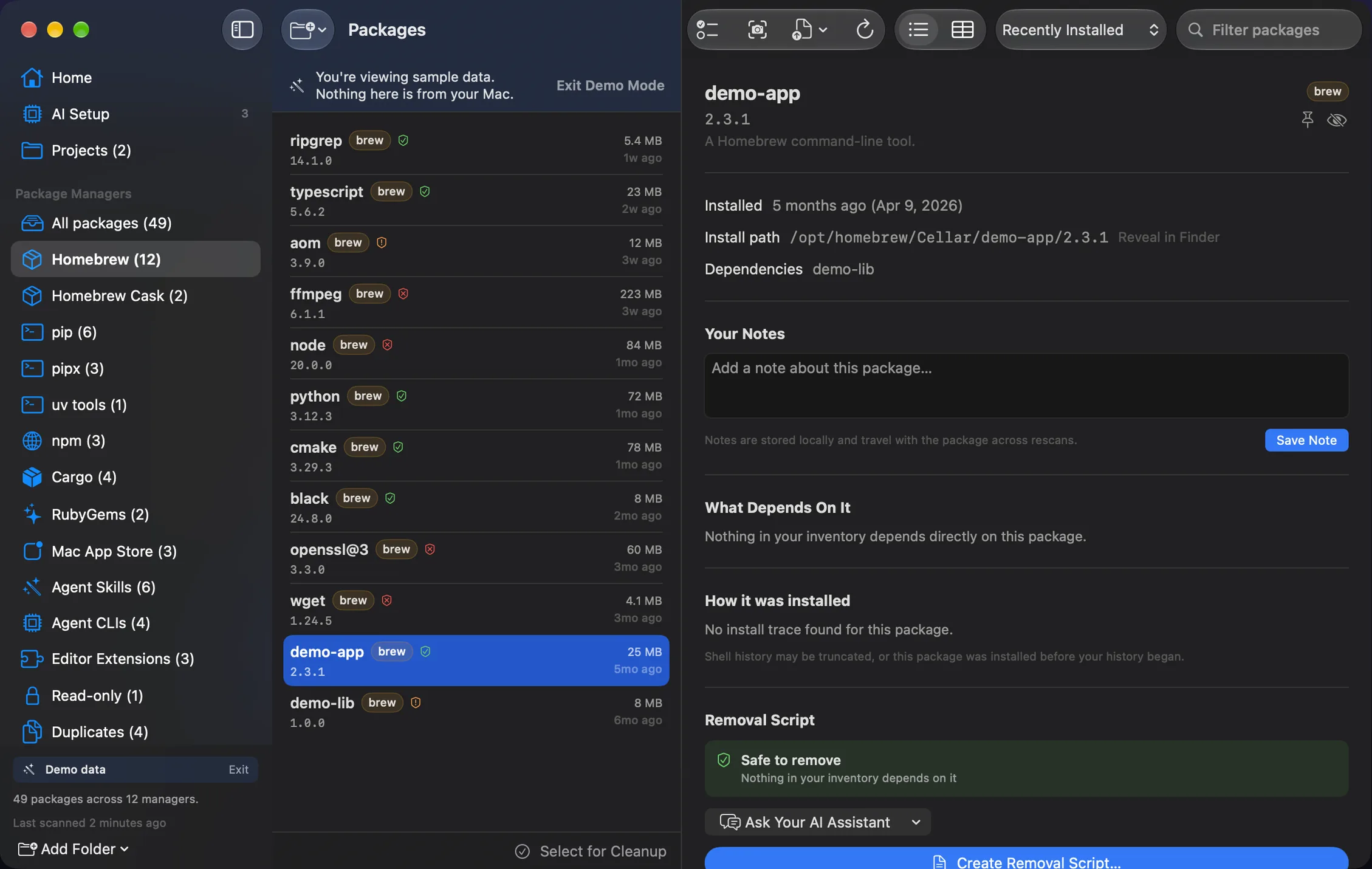
Installory brings Homebrew, pip, pipx, npm, Cargo, RubyGems, and Mac App Store receipts into one read-only inventory. It then adds plain-English context, duplicate and review-candidate analysis, and optional local install provenance.
Installory separates understanding from removal. It shows what exists, explains what it can, and leaves destructive work in your hands.
Scans on-disk package metadata and Mac App Store receipts using folders you explicitly grant through macOS.
When you choose cleanup, Installory generates commands for you to inspect, copy, save, and run manually in Terminal.
No tracking, analytics, ads, account system, network calls, or package inventory transmission.
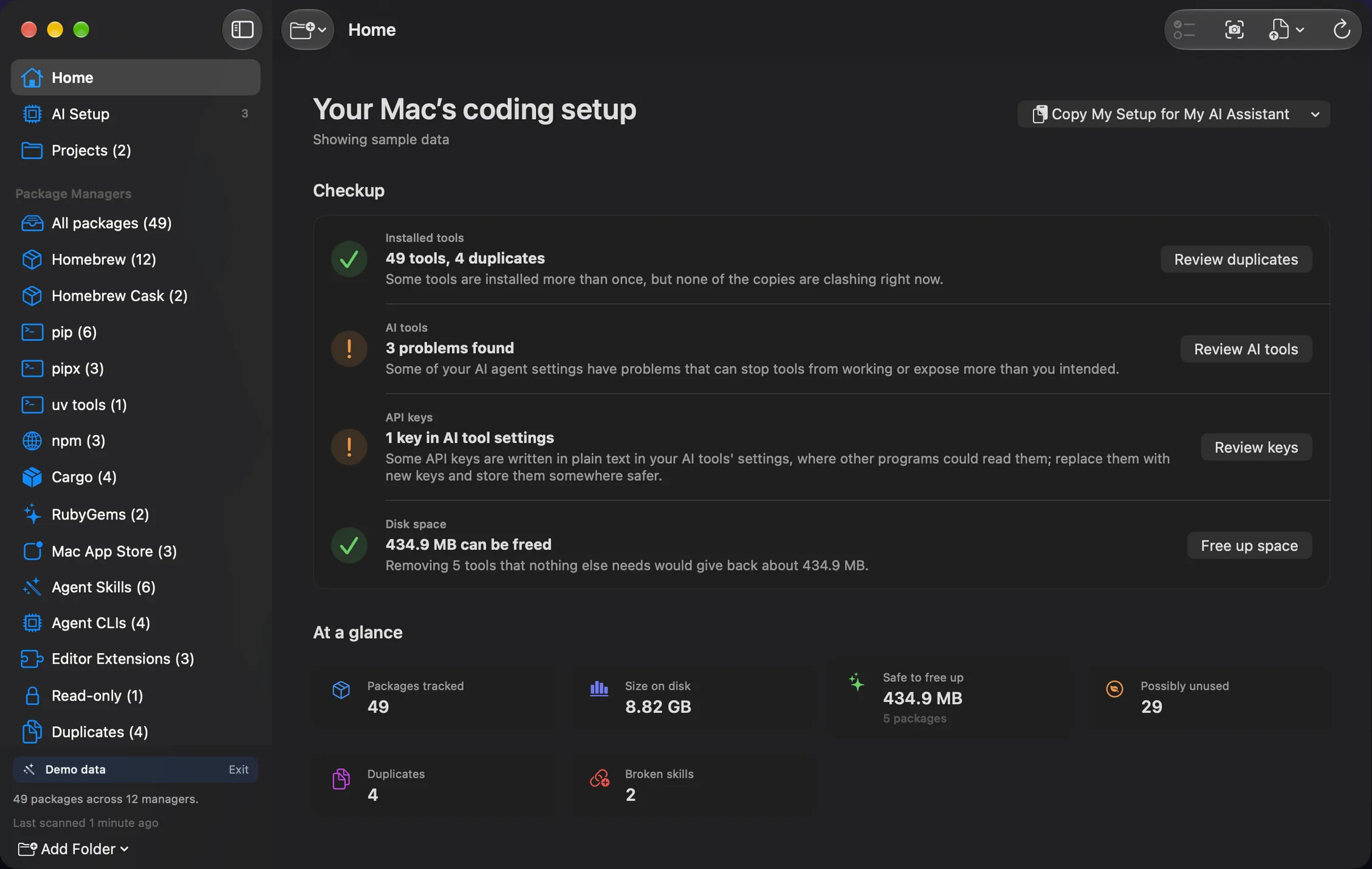
Package managers show their own lists. Installory brings those lists together, adds bundled explanations, and helps you inspect relationships across managers without changing the system.
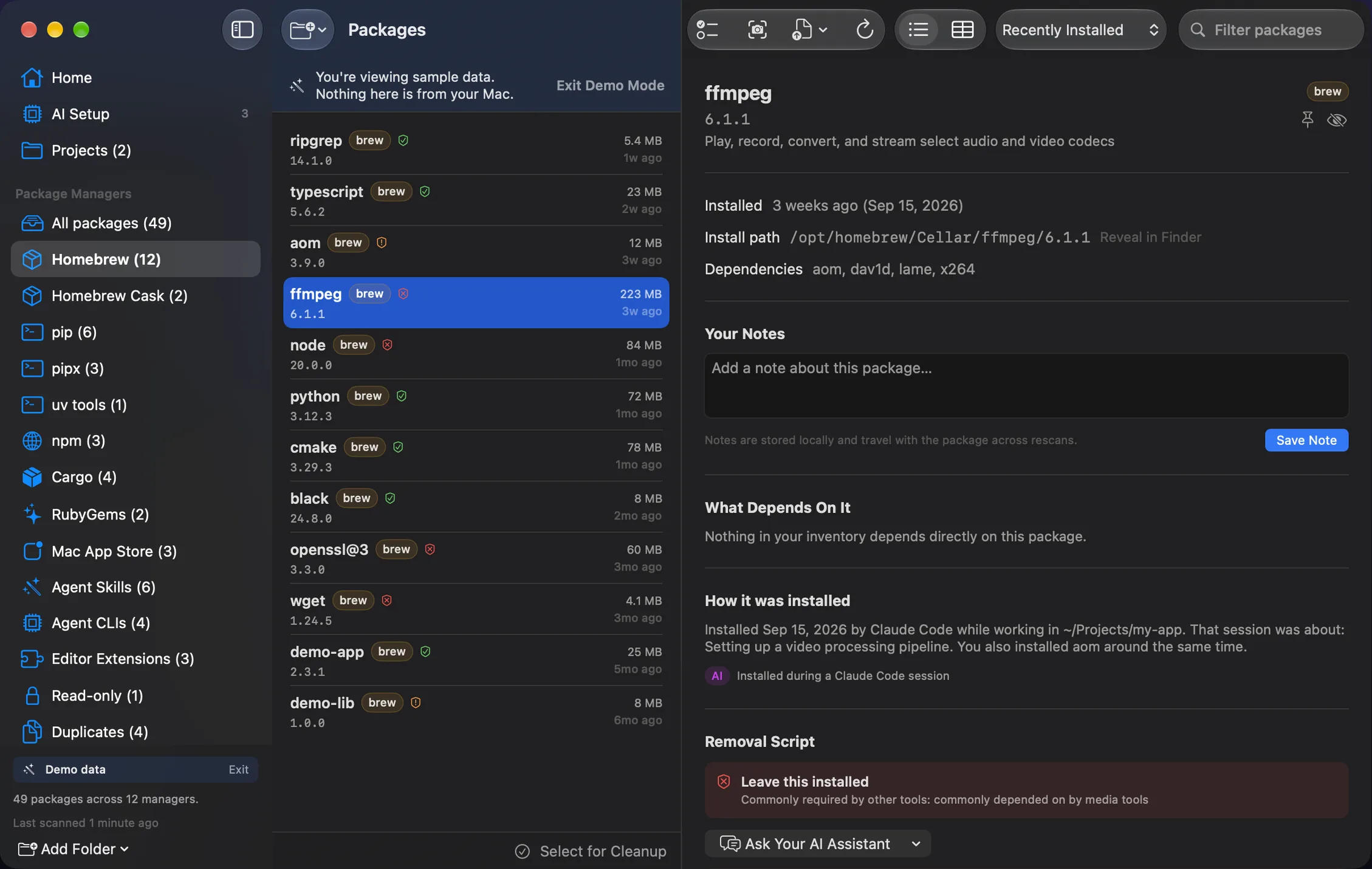
See a package's manager, version, install location, dependencies, and a bundled description without a network lookup.
Find tools installed by more than one manager or in multiple managed locations, then see which copy your current PATH is likely to use.
Surface explicitly installed packages with no same-manager dependents. Installory calls them review candidates, never “unused,” because it does not monitor how you work.
If you opt in, Installory can compare package timestamps with local shell install commands and Claude Code Bash events. The result is best-effort evidence, stays on your Mac, and can be erased in Settings.
Built for the AI-coding era
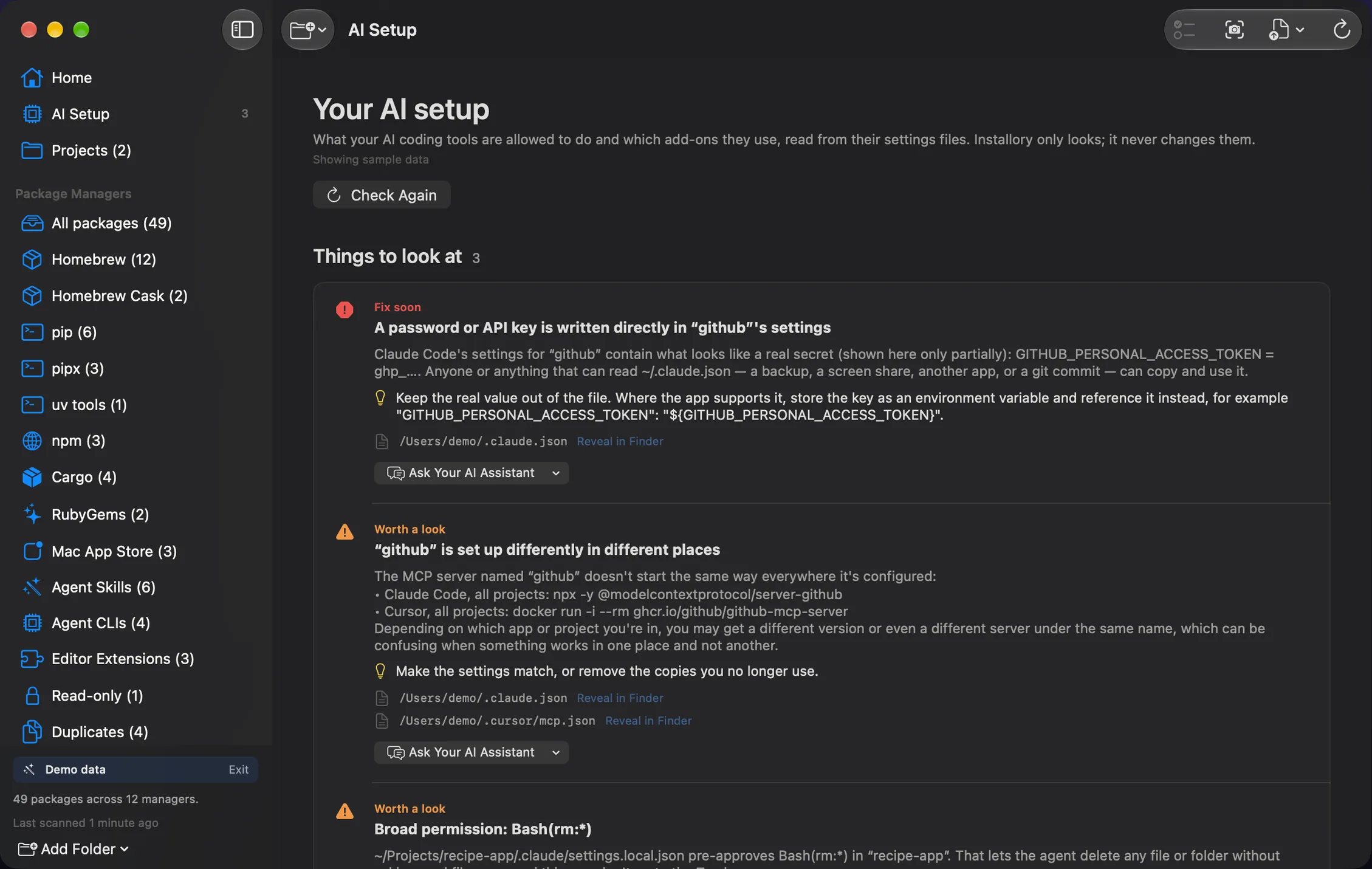
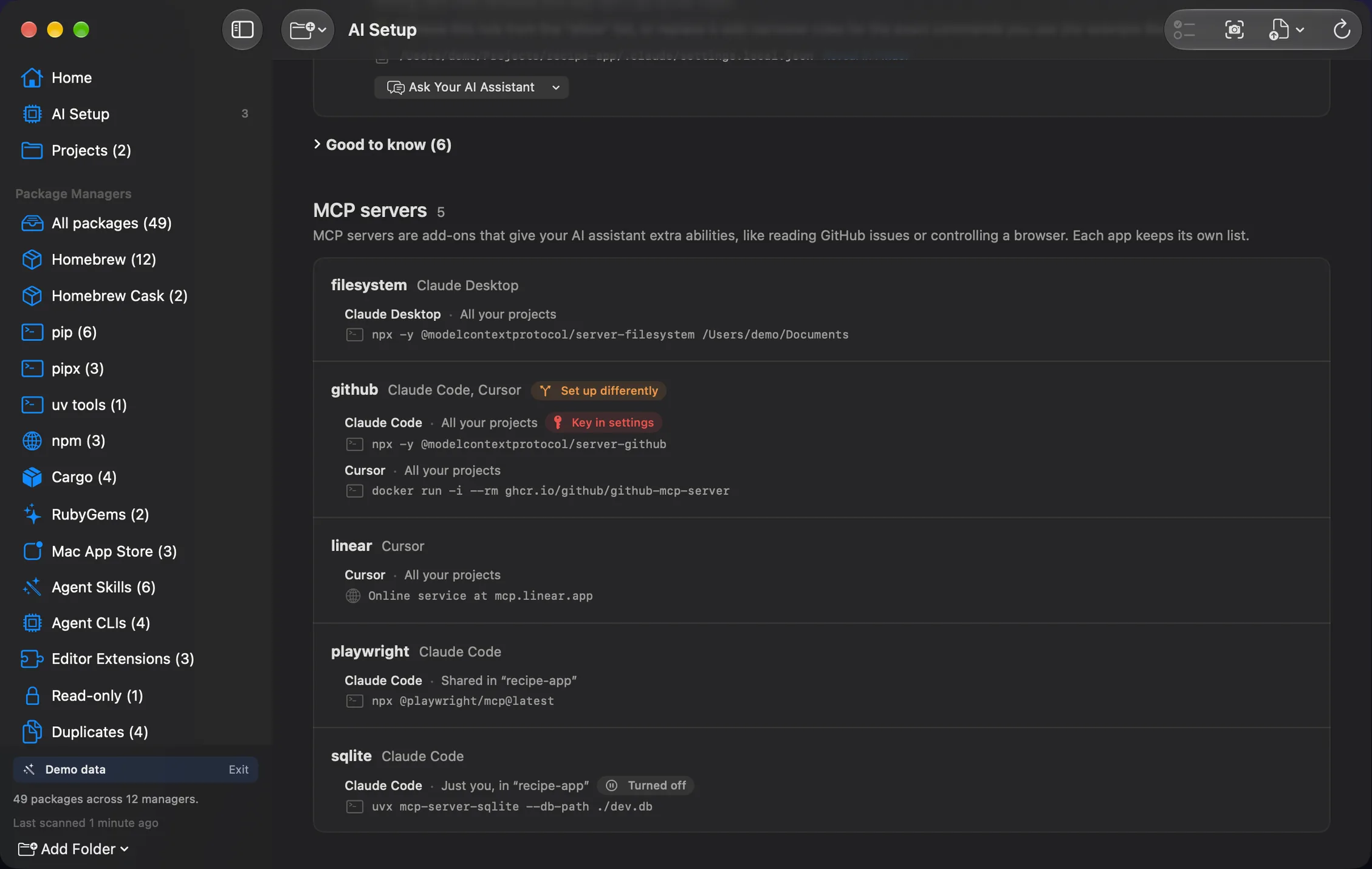
Whether you work with Claude Code, Cursor, or another assistant, the resulting package-manager metadata can outlive the session that created it. Installory gives you a local inventory after the fact. For Claude Code, optional install tracing can also connect matching Bash events to nearby package timestamps.
Installory does not replace your package managers. It gives you one place to understand what their separate inventories mean together.
| Capability | Installory | Separate manager commands |
|---|---|---|
| Inventory | One view across Homebrew, pip, pipx, npm, Cargo, RubyGems, and receipt-bearing Mac App Store apps | A separate command and output format for each manager |
| Explanations | Bundled plain-English descriptions with no network request | Usually names, versions, and manager-specific metadata |
| Duplicate analysis | Cross-manager and multi-location groups, with PATH context where available | Manual comparison across command output and shell configuration |
| Review candidates | Same-manager dependency clues, explicitly labeled as review signals | Separate dependency graphs that you interpret yourself |
| Install provenance | Optional local shell-history and Claude Code evidence | Not part of ordinary list commands |
| Cleanup | Generates a reviewable script and never executes it | You compose and run live manager commands yourself |
Cleanup is a three-step flow you control. Installory can record the current inventory, generate a shell script for you to inspect, and then step out of the way.
Generated scripts are plain text. Common essentials are treated cautiously, and Installory does not execute the script for you.
#!/usr/bin/env bash # Cleanup script generated by Installory. # Review every line before running. # Installory did not run this script. set -euo pipefail echo "brew uninstall wget" brew uninstall wget # WARNING: common essential. Uncomment only if certain. # brew uninstall openssl@3
Installory is intentionally conservative about what it can see, what it claims, and what it leaves for you to decide.
Scanning is read-only. Installory parses package metadata only inside folders you grant through macOS. It does not run package-manager commands, modify those folders, or execute generated scripts.
Any uninstall command can remove something you still need. Installory comments out known essentials and shows dependency clues, but those checks cannot prove a removal is safe. Review every generated command and run only the lines you understand.
brew list, pip list, or npm list?Those commands are useful within one ecosystem. Installory combines supported managers, adds offline descriptions, highlights cross-manager duplicates and review candidates, and keeps a consistent snapshot and script workflow around the result.
Installory does not request administrator privileges to scan. macOS asks you to choose readable folders. A package-manager command that you later run yourself may have its own permission requirements.
Only after you enable it in Settings → Privacy and grant access, Installory can read local zsh, bash, and fish history plus selected Claude Code project-log fields. It looks for install events near package timestamps, processes them locally, and lets you revoke access or erase saved evidence.
No. Installory can inventory supported packages left behind by any coding tool, but optional AI-session attribution currently uses local Claude Code evidence only.
Yes. Installory is free on the Mac App Store, has no ads, accounts, subscriptions, or in-app purchases, and its source is available under the MIT License. Ko-fi support is optional.
The app has no tracking, analytics, ads, accounts, or package-inventory transmission. Its optional local provenance and the website's support form are disclosed separately and plainly.
Support covers folder access, scans, and cleanup scripts, with a contact form and direct email. We aim to reply within two business days.